AI agent builder for WhatsApp and every channel, with no code

Build AI agents that answer, qualify leads, book appointments and take orders 24/7. Start with a WhatsApp AI agent, then run the same agents on Instagram, Messenger, Telegram, SMS, web chat and voice, all from one dashboard and one shared inbox.

  • Bring your own AI: OpenAI, Gemini, Claude or xAI (Grok)
  • No-code workflow builder: drag and drop, no developers needed
  • One inbox: bot-to-human handover on every channel

Trusted by 100+ customers

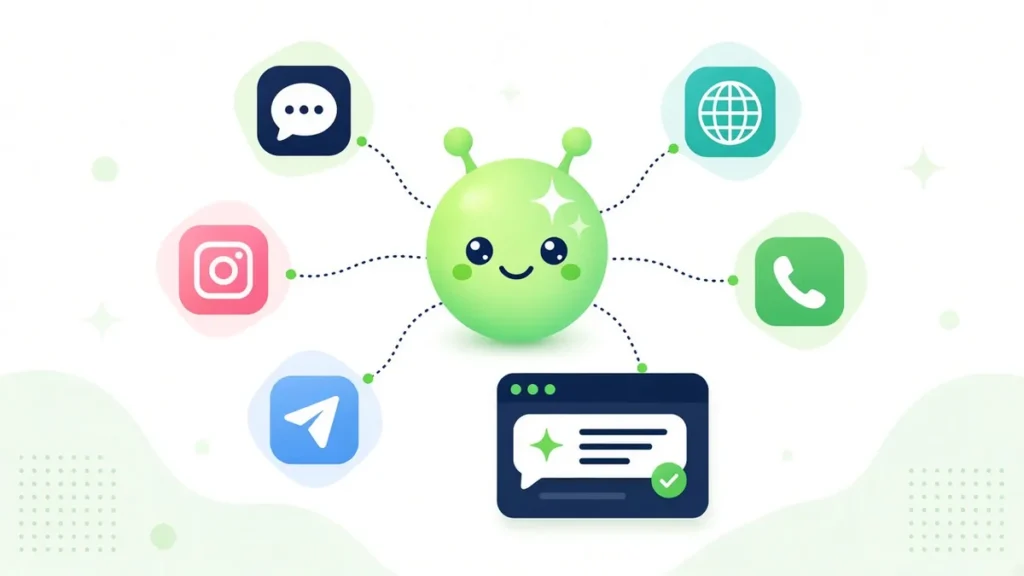
WhatsApp AI agent answering a customer and offering a booking, with other channels connected to the same agent

Build a no-code AI agent in the workflow builder

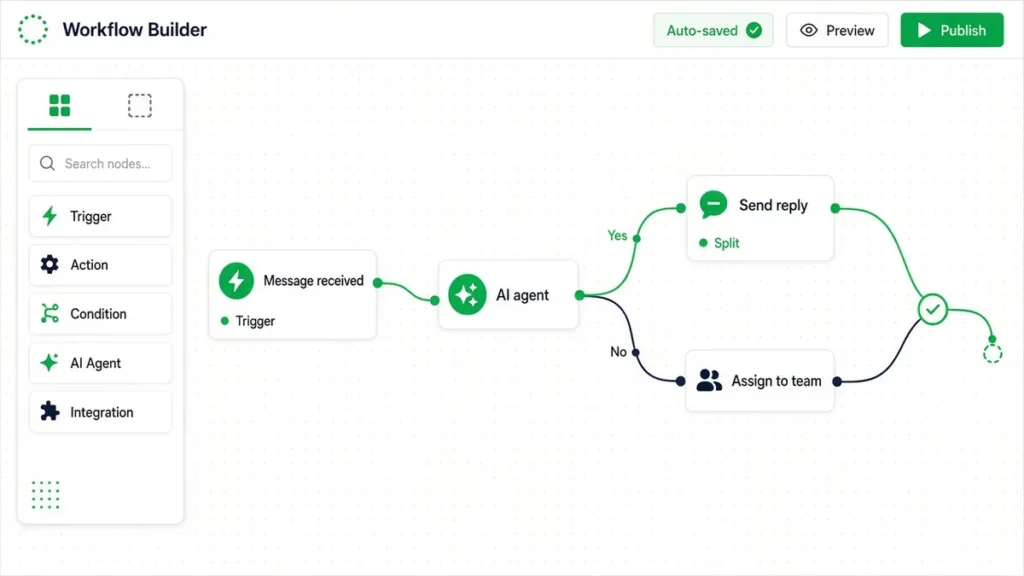
Every agent lives in a flow. You design what it says and does in a drag-and-drop workflow builder, so changing your agent takes minutes, not a developer sprint.
  • Instructions in plain language: Tell the agent who it is, what it should help with and when to stop and call a human.
  • Flows around the AI: Combine AI replies with buttons, conditions, tags, custom fields and follow-up steps.
  • Collect details as it talks: Save names, phone numbers, emails and answers straight into contact fields.
  • Test before you go live: Turn the bot on for admins only while you test, then publish to everyone.

See how the inbox handles handover

No-code AI agent built in the Botosynthesis drag-and-drop workflow builder
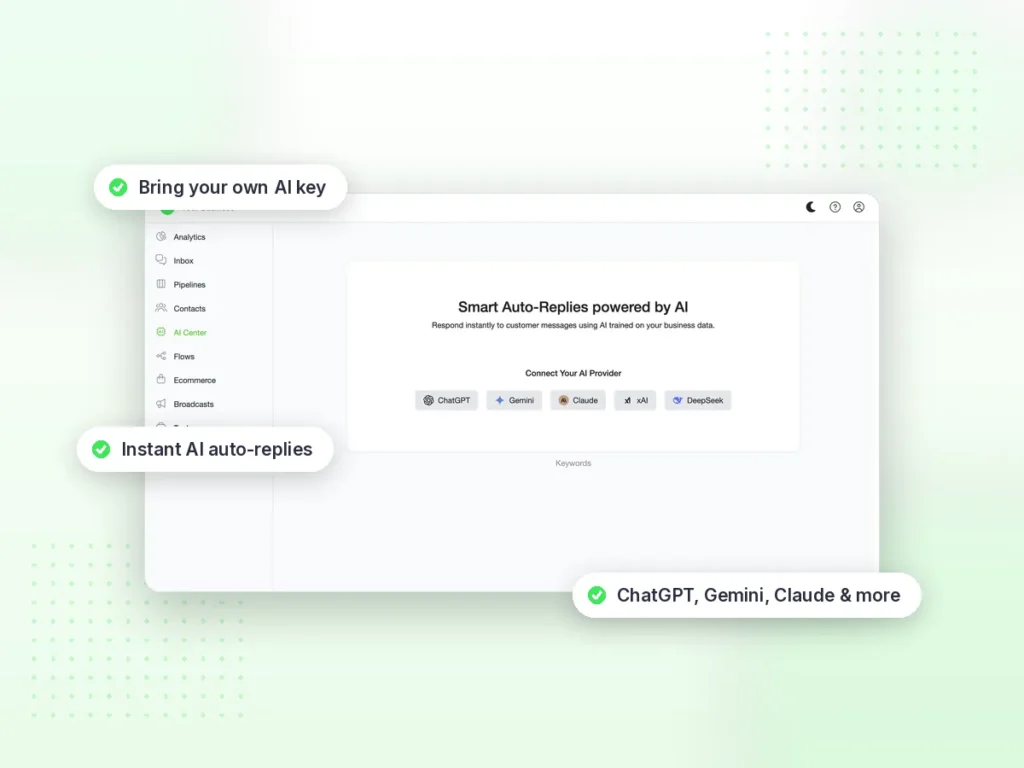
AI Center in Botosynthesis: connect OpenAI, Gemini, Claude or xAI (Grok) with your own API key

Bring your own AI: OpenAI, Gemini, Claude or xAI (Grok)

Connect your own AI provider in the AI Center and choose the model for each agent. AI usage is billed by your provider directly to your account, so you stay in control of AI costs.

  • Four providers: OpenAI, Gemini, Claude or xAI (Grok), each with your own API key.
  • A model per agent: Use one model for sales, another for support.
  • Your key, your account: Usage is billed by your provider, not marked up inside your plan.
  • Switch any time: Change provider or model without rebuilding your flows.
Supported AI models

Your AI provider, your API key

Connect OpenAI, Gemini, Claude or xAI (Grok) with your own API key and choose the model for each agent. Usage is billed by your provider directly.

OpenAI
GPT models
GPT-6.1 SolGPT-6 SolGPT-6 LunaGPT-6 Astra
Anthropic Claude
Claude 5.5 family
Opus 5.5Sonnet 5.5Haiku 5.5
xAI
Grok
Grok 4.7
Google
Gemini
Gemini

Model availability depends on your provider account.

AI chatbot for business that learns your data and takes action

An AI chatbot for business is only useful if it knows your business and can actually get things done. Botosynthesis agents answer from your own information and act inside the conversation.
  • Trained on your business data: Answers come from your FAQs, policies, product details and documents.
  • AI functions: Collect details, trigger your workflows and fetch live data such as order status or stock from any system with an API.
  • Book and sell in chat: Check Google or Outlook calendars to book appointments, and show products as rich cards with buttons and carousels.
  • Understands media: Reads photos and documents customers send, transcribes voice notes and can reply by voice.
Connect it to Shopify, Stripe, Zapier and more

Not sure if you need a full AI agent? Read our guide on AI agents vs FAQ bots.

What your AI agents can do

Conversations that feel human, with real actions behind them

Every capability below works with OpenAI, Gemini, Claude or xAI (Grok) on your own API key.

⌨️

Human-like typing pace

Set a delay between messages so replies arrive at a natural pace instead of all at once.

🛍️

Buttons and carousels

Reply with text plus buttons, or a swipeable carousel of products and offers, with landscape or square images.

🎙️

Voice notes in and out

Agents transcribe voice notes customers send, then reply by voice or keep it text-only. Your choice.

🧩

MCP tools on every provider

Connect MCP servers so agents can look up data and take actions in your tools, whichever AI provider you use.

🔗

Inbound webhooks OPTIONAL

Send data in from other systems to create or update contacts, save fields and start a flow, such as a WhatsApp receipt after an order.
Try it on your own data

Build your first agent in minutes.

Start free 10-day trial

WhatsApp AI agent first, then every channel in one dashboard

Most teams start with a WhatsApp AI agent. When customers also message you on Instagram, Facebook or your website, you don’t need a second tool. Connect the channel and your agents and team work from the same place.
WhatsApp AI agent answering a customer and offering a booking, with other channels connected to the same agent
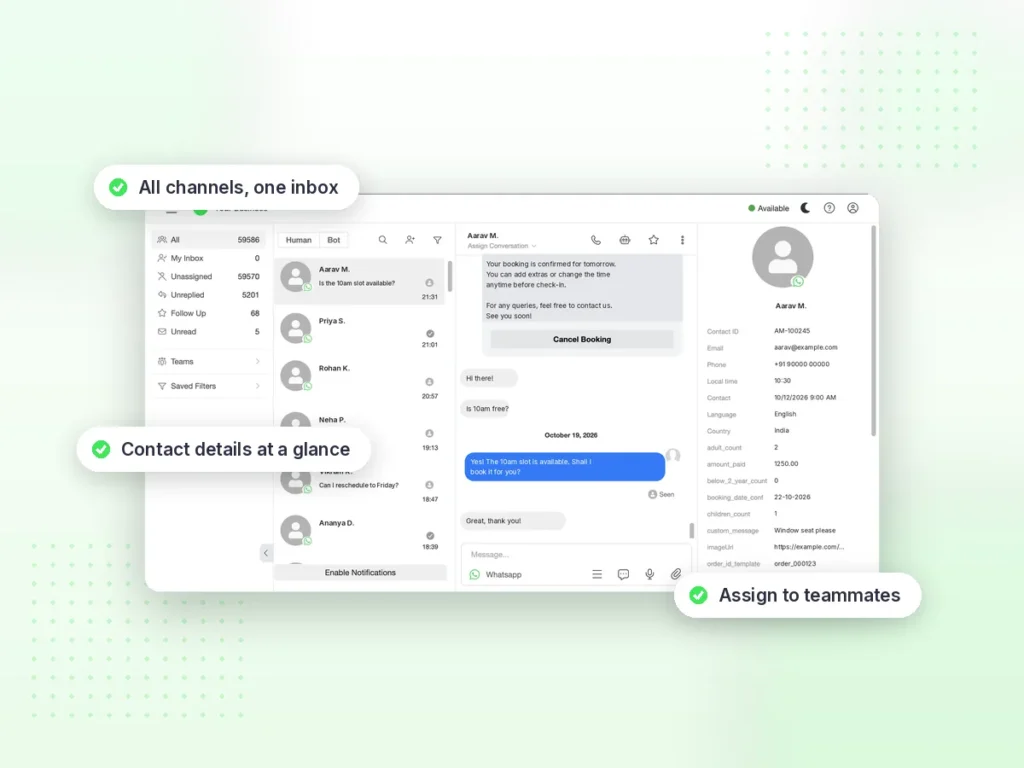
Botosynthesis shared team inbox with WhatsApp, Instagram, Messenger and Telegram conversations

Bot-to-human handover in one omnichannel inbox

AI handles the routine; your team handles the moments that need a person. Every conversation, from every channel, is in one shared inbox.
  • Handover with full history: The agent passes the chat to a teammate with everything that was said.
  • Assign and auto-assign: Route chats to a person or team, or spread them evenly.
  • Take over and hand back: Step in with one click, then return the chat to the bot.
  • Web and mobile: Works on the web, with the mobile app on the Enterprise plan.

More on the team inbox

Turn AI conversations into leads, pipelines and campaigns

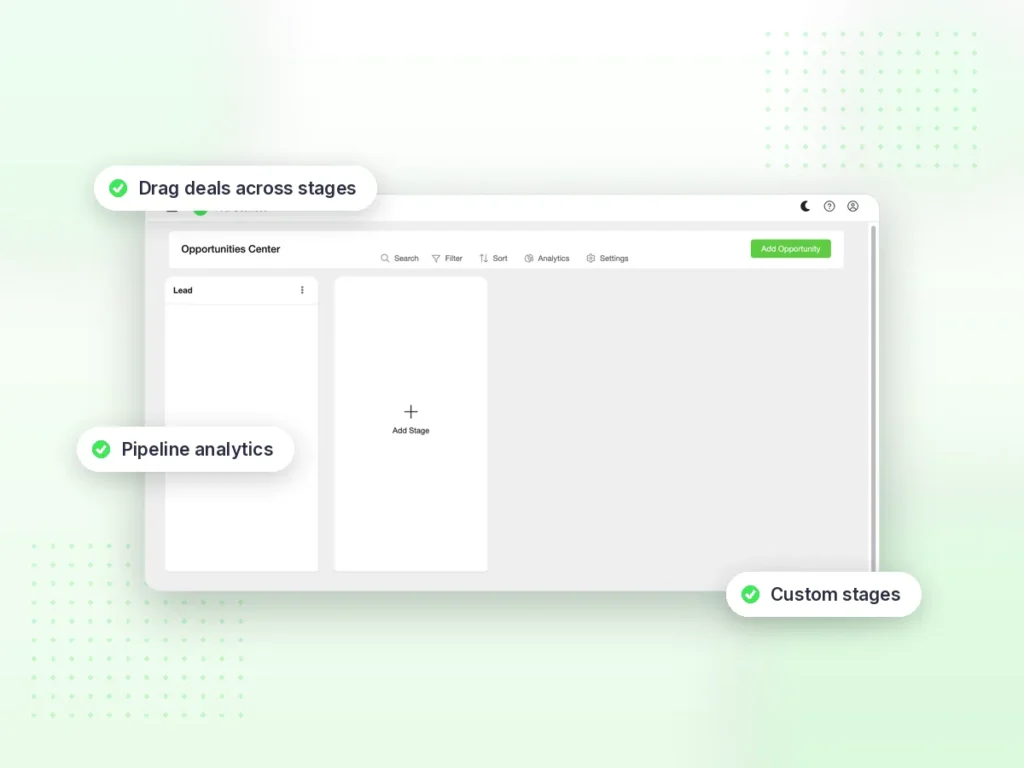
Each chat becomes a contact in the built-in CRM. Agents tag and qualify leads, and your team follows up with pipelines and broadcasts.
  • Contacts with tags and fields: Everything the agent collects is saved to the contact.
  • Sales pipelines: Drag-and-drop stages, with automations when a lead is added or moved.
  • Broadcasts and drip campaigns: Send approved WhatsApp templates to tagged segments, then follow up automatically.
  • Integrations: Sync with Zapier, Make, Pabbly Connect, Google Sheets, webhooks and the REST API.
See the CRM pipeline · WhatsApp broadcasts
Botosynthesis CRM sales pipeline board with custom stages

How to build your AI agent in 3 steps

  1. Connect your channels: start with your WhatsApp Business number, then add Instagram, Messenger, Telegram, SMS, web chat or voice.
  2. Connect your AI and add your data: add your OpenAI, Gemini, Claude or xAI (Grok) key in the AI Center, then your instructions and business information.
  3. Build and go live: design what the agent does in the workflow builder, test it, and manage every conversation from one inbox.

Frequently asked questions

An AI agent builder is a tool for creating AI assistants that talk to your customers and take actions for your business. In Botosynthesis you build agents without code: connect your AI provider, add your instructions and business documents, and decide in the workflow builder what each agent can do.

A WhatsApp AI agent is an AI assistant that answers customers on the official WhatsApp Business API. It replies from your business information, qualifies leads, books appointments and hands the chat to your team in the shared inbox when a human is needed.

No. Agents are built in the visual, no-code workflow builder. Developers can still use webhooks, API requests and the REST API when they want to.

You connect OpenAI, Gemini, Claude or xAI (Grok) with your own API key in the AI Center. AI usage is billed by your provider directly to your account.

Yes. Connect any MCP server and your agent can fetch live data and take actions mid-conversation, with OpenAI, Gemini, Claude or xAI on your own API key.

Write instructions in plain language and add your business information, such as FAQs, policies and product details, so the agent answers from your own content instead of guessing.

Yes. Every conversation is in the omnichannel inbox, and the agent can pass a chat to a teammate with the full history. Your team can also take over at any time and hand the chat back to the bot.

WhatsApp, Instagram, Facebook Messenger, Telegram, SMS, your website chat widget and voice calls. All conversations land in one inbox.

Yes. Every new account gets a free 10-day trial with all pro features.

Put AI agents to work on WhatsApp and every channel

Free 10-day trial. Trusted by 100+ customers.

Questions? Email hi@botosynthesis.com